Consent Mode v2: Implementation Guide for Marketers
Master Consent Mode v2 with our guide. Learn to implement key signals and optimize your analytics while respecting user privacy.

Consent Mode v2: Implementation Guide for Marketers
Consent Mode v2 is Google’s framework for telling Google Tag, GA4, and Google Ads what a visitor has agreed to before any advertising or analytics data collection happens. If you’re implementing it right now, the single most important move is this: add the two new consent signals, ad_user_data and ad_personalization, and set default consent states in the page head before any tag fires. Get that sequencing wrong and you’ll either lose ad platform features in the EEA and UK or you’ll fire pixels before consent, which is the exact problem Consent Mode exists to prevent.
Here’s your quick-start checklist before you touch any code:
- Add
ad_user_dataandad_personalizationto your existingad_storageandanalytics_storagesignals. - Implement the default-then-update pattern: declare defaults first, update only after the user makes a choice.
- Verify the setup by inspecting network requests for the
gcsandgcdparameters rather than assuming your consent management platform (CMP) is passing signals correctly.
Everything below walks through the mechanics, the code, the testing steps, and the operational monitoring that keeps this working after launch.
Key Takeaways
Consent Mode v2 requires the ad_user_data and ad_personalization signals, a default-then-update sequence set before any tag fires, and persistent storage of user choice to keep both compliance and measurement accuracy intact.
| Point | Details |
|---|---|
| Add the two new signals | Confirm your CMP populates ad_user_data and ad_personalization, not just the original two v1 signals. |
| Set defaults before tags load | Place the default consent command in the page head, ahead of your Google Tag or GTM container. |
| Test at the network level | Check gcs and gcd parameters and cookie storage directly, not just banner appearance. |
| Persist and replay consent choice | Store the user’s decision and reapply it on every page load to avoid repeated banners and data gaps. |
| Monitor with a connected platform | Getpaidlens centralizes Ads, GA4, and CRM data so consent-related drops in conversion or GCLID capture surface quickly. |
Table of Contents
- What You Need Before Implementing Consent Mode v2
- What Do the Consent Mode v2 Signals Actually Control?
- Should You Choose Basic or Advanced Consent Mode?
- How Do You Set Up Consent Mode v2 Step by Step?
- Code Examples for gtag.js and Google Tag Manager
- Managing Consent Changes, Revocations, and Persistence
- How Do You Test and Verify Consent Mode v2?
- Understanding Consent Pings and Conversion Modeling
- Checklist for Migrating From Consent Mode v1 to v2
- Best Practices and the Errors That Break Measurement
- Monitoring Consent Mode v2 After Launch
- What Actually Matters When You Roll This Out
- A Simpler Way to Catch Consent-Related Data Gaps
- Sources
- FAQ
What You Need Before Implementing Consent Mode v2
Before writing a line of code, confirm the plumbing exists. A surprising number of “Consent Mode is broken” tickets trace back to a missing account connection rather than a bad snippet.
You need four things in place:
- A Google Tag or Google Tag Manager container already installed on the site, since Consent Mode commands run through this layer.
- An active GA4 property and Google Ads account linked to that container, since these are the products actually consuming the consent signals.
- A CMP capable of setting all four v2 signals, applying region-specific defaults (EEA and UK need different defaults than, say, general US traffic), and persisting the user’s choice across sessions.
- A staging environment where you can test consent flows without contaminating production analytics data.
That last point trips up more teams than it should. Testing consent changes directly in production means every test click generates real conversion events, which pollutes your reporting and makes it harder to trust your own dashboards for weeks afterward.
Place your default consent command in the <head>, above the Google Tag or GTM container snippet. Order matters here more than almost anywhere else in your tag setup: if the container loads before defaults are declared, tags can fire under an undefined consent state, which most implementations treat as granted.
Pro Tip: Clone your production GTM container into a test container before touching consent settings. A five-minute config error in a live container can silently zero out a week of ad conversion data before anyone notices the drop.
What Do the Consent Mode v2 Signals Actually Control?
Consent Mode v2 works with six signals, though only four are new or central to compliance decisions. Two of them, ad_user_data and ad_personalization, were added specifically to give advertisers finer control than the original v1 setup allowed.
ad_storage governs whether advertising cookies and similar identifiers can be written to the browser. analytics_storage controls the same thing for analytics cookies, like the ones GA4 uses to stitch together a session. ad_user_data is new in v2 and governs whether user data can be sent to Google for advertising purposes at all, separate from whether a cookie gets written. ad_personalization is also new and controls whether that data can be used for personalized advertising and remarketing audiences. Two supporting signals, functionality_storage and personalization_storage, cover non-advertising storage like language preferences or UI settings, and they matter less for ad platform compliance but still affect what a CMP banner should expose to users.
The distinction between storage and use is the part most teams get wrong. ad_storage denied means no cookie gets written. But even if you somehow have data another way, ad_user_data denied means you cannot send that data to Google for advertising purposes, full stop. These are separate switches for a reason: a user might tolerate an analytics cookie but object specifically to their data feeding an ad audience.
| Consent Type | Primary Effect When Denied | What Google Products Lose |
|---|---|---|
ad_storage |
No ad cookies or device identifiers written | Ads loses cookie-based conversion tracking and remarketing lists |
analytics_storage |
No GA4 client ID or session cookie written | GA4 falls back to cookieless pings and modeled sessions |
ad_user_data |
No user data sent to Google for advertising | Ads loses enhanced conversions and Customer Match matching data |
ad_personalization |
Data can’t be used for personalized ads | Ads loses remarketing audience membership and personalized targeting |
Three real-world scenarios show how this plays out. A visitor who accepts analytics but rejects advertising gives you GA4 measurement but no remarketing audience. One who accepts everything except personalization still lets Google measure conversions but strips them from any audience used for personalized targeting. And one who denies everything gets cookieless pings only, feeding Google’s conversion modeling rather than direct measurement.
Should You Choose Basic or Advanced Consent Mode?
The choice comes down to one question: do you want tags to load before consent, or not at all?
Basic implementation blocks Google tags entirely until the user interacts with your banner, and it sends zero data to Google before that happens. Advanced implementation loads tags immediately with default consent states applied, and when storage is denied, it sends cookieless pings instead of full measurement events. Those pings feed Google’s conversion modeling, which estimates conversions that consent prevented you from measuring directly.
The trade-off is real and worth sitting with rather than defaulting to whichever mode your CMP vendor pre-selects. Basic mode is the more conservative, legally defensible option because literally nothing leaves the browser before a user says yes. Advanced mode gives you meaningfully better modeled conversion data, since Google has actual signal (even cookieless) to work from, but it requires your defaults and persistence logic to be airtight, because you’re now sending pings before explicit consent.
Run through this before deciding:
- Pick basic mode if your legal or privacy team wants a hard rule that nothing touches Google’s servers pre-consent, or if you operate in a jurisdiction where regulators have signaled aggressive enforcement.
- Pick advanced mode if conversion volume and modeled data quality matter more to your ad spend decisions than the added implementation rigor, and your engineering team can maintain correct default states.
- Regardless of mode, apply region-specific defaults; EEA and UK traffic typically needs a stricter default (denied) baseline than traffic where consent banners aren’t legally required, and your CMP should be scoping this automatically.
Pro Tip: If you’re running advanced mode, log a timestamp every time your default consent state changes in code. Six months from now, when someone asks why a specific week’s EEA conversions dropped, that log is the difference between a five-minute answer and a two-day investigation.
How Do You Set Up Consent Mode v2 Step by Step?
The sequence matters more than any individual line of code. Get the order wrong and every downstream signal is unreliable, regardless of how correctly each piece is configured in isolation.
- Declare default consent states in the page head, before your Google Tag or GTM container snippet loads. This is the “default” half of default-then-update, and it has to run first or tags execute under an undefined state.
- Wire your CMP to fire an update command the moment a user makes a choice, whether that’s accepting all, rejecting all, or customizing preferences.
- Confirm your CMP maps its own consent categories to all four v2 signals correctly. This is where a shocking number of implementations quietly fail, since older CMP configurations built for v1 often never got updated to populate
ad_user_dataandad_personalization. - Set region-specific default values inside the CMP so EEA and UK visitors get a denied-by-default baseline while other regions can use a different default if your legal team approves it.
- Verify every tag, whether fired through GTM or hardcoded gtag.js, actually respects the consent state rather than firing unconditionally on page load.
A few configuration details worth flagging as you work through that list. Timing is everything: a command placed inside the GTM container itself, rather than in the raw head HTML, can execute too late if the container tag itself takes a moment to initialize. Most implementers place the default command directly in inline HTML for that reason, then let GTM handle the update logic and downstream tag firing.
CMP behavior also varies more than vendors advertise. Some CMPs will push consent updates automatically once you flip a setting, but you still need to manually verify the mapping between your banner’s categories and Google’s four signals, since a mismatched category (say, lumping ad_user_data under a generic “marketing” toggle without separately handling ad_personalization) will pass compliance review but quietly break audience data.
For server-side tagging setups and mobile app SDKs, the same four signals apply, but you’re managing consent state through the server container’s client configuration or the platform’s native consent APIs rather than a browser dataLayer, which changes where you place the default and update logic but not the underlying signal logic itself.
Code Examples for gtag.js and Google Tag Manager
Here’s the minimal gtag.js pattern for default-then-update:
gtag('consent', 'default', {
  'ad_storage': 'denied',
  'analytics_storage': 'denied',
  'ad_user_data': 'denied',
  'ad_personalization': 'denied',
  'wait_for_update': 500
});

gtag('js', new Date());
gtag('config', 'GA_MEASUREMENT_ID');
That default call has to execute before the config call, and ideally before the Google Tag snippet loads at all. The wait_for_update parameter tells Google to hold tag execution for up to 500 milliseconds in case a CMP update comes in immediately, which prevents a flash of unconsented firing on fast-loading pages.
When the user makes a choice, fire the update:
gtag('consent', 'update', {
  'ad_storage': 'granted',
  'analytics_storage': 'granted',
  'ad_user_data': 'granted',
  'ad_personalization': 'granted'
});
For Google Tag Manager, the pattern shifts to dataLayer pushes rather than direct gtag calls. Your default push looks like this, placed in the head before the GTM container snippet:
dataLayer.push({
  'event': 'default_consent_state',
  'ad_storage': 'denied',
  'analytics_storage': 'denied',
  'ad_user_data': 'denied',
  'ad_personalization': 'denied'
});
Your CMP then fires an update event on user interaction, and any tag inside GTM that touches ad or analytics data should reference built-in consent checks at the tag level, not just rely on the container-wide default, since GTM lets you require specific consent types per tag as an additional safeguard.
A few notes worth keeping in your back pocket. Server-side tagging containers use the same four signals, but you configure defaults and updates through the server container’s client rather than a browser dataLayer, and mobile app SDKs like the Firebase SDK expose native consent methods that map to the same underlying signals. And regardless of platform: never pass raw personally identifiable information through ad_user_data. That signal governs whether Google can receive hashed or otherwise processed user data for advertising, not a channel for sending emails or phone numbers in plain text.
Managing Consent Changes, Revocations, and Persistence
Consent Mode has no memory of its own. It’s stateless by design, which means every single page load starts from zero unless your implementation actively persists and replays the user’s prior choice.
Handle three scenarios explicitly in your setup. When a user grants consent, fire the update command and write that choice to a first-party cookie or localStorage immediately, since a page refresh with no persistence logic will show the banner again and briefly reset to denied defaults. When a user revokes consent they previously granted, fire an update with the new denied values and, critically, purge or stop referencing any existing ad or analytics cookies that were written under the prior granted state. When a returning user loads any page, check the stored preference before the container even initializes and replay it as the default state for that session, rather than starting from your generic denied baseline and waiting for a banner interaction that will never come because they already chose.

That replay step is where most teams create their own bugs. If you’re using a first-party cookie to store consent state, that check has to run early enough to inform the default consent command, not just the CMP banner’s own display logic.
For audit purposes, consider logging a lightweight event to your analytics or a server-side endpoint every time consent state changes, including the timestamp, the old state, and the new state. This has nothing to do with ad measurement and everything to do with your own sanity when someone asks six weeks later why a specific segment’s data looks inconsistent.
Pro Tip: Build a simple audit event that fires on every consent state change and lands in a separate GA4 event or a server log, completely outside your main conversion tracking. When a client or your legal team asks “can you prove this user consented on this date,” you want an answer in minutes, not a scramble through cookie logs.
How Do You Test and Verify Consent Mode v2?
Testing Consent Mode properly means checking what happens at the network level, not just confirming the banner displays correctly. A banner that looks right can still be leaking data if the underlying signals aren’t wired correctly.
Run this sequence in an incognito or freshly cleared browser profile:
- Load the page with no prior consent cookie present and open your browser’s network tab before the page finishes loading.
- Inspect the first outgoing requests to Google’s collection endpoints and look for the
gcsandgcdparameters, which encode the consent state being sent. - Check the browser’s cookie storage to confirm no
_gaor ad-related cookies were written while consent is still denied by default. - Click “accept all” in your banner and reload the network tab, confirming the update fires and that
gcs/gcdvalues change to reflect granted state. - Reject all instead and confirm cookies remain absent and pings continue in cookieless form.
- Reload the page after accepting, and confirm the choice replays correctly without the banner reappearing or defaults briefly resetting.
The parameters themselves are worth understanding rather than just eyeballing for presence. gcs encodes ad_storage and analytics_storage state directly, while gcd carries more granular consent detail across all four signals and, notably, gets sent on every request regardless of whether Consent Mode is even active, which means an empty or default-looking gcd value doesn’t necessarily mean something is broken. Account for that in any custom log processing you build, or you’ll chase a false alarm.
Google’s Tag Assistant extension is the fastest way to visualize this without manually parsing query strings, since it surfaces consent state per tag directly in its debug panel. Pair it with your browser’s DevTools network tab for the raw parameter values when you need to confirm exact encoding.
Common failure patterns to check for: cookies present despite a denied state usually means your default command is running after the tag container rather than before it. An update command that doesn’t seem to change anything downstream usually means your CMP’s category mapping doesn’t actually reach all four signals. And a banner that reappears on every page load despite a prior choice almost always traces back to a persistence bug, not a Consent Mode configuration issue.
Understanding Consent Pings and Conversion Modeling
When storage consent is denied, Google doesn’t just stop collecting data. It sends a lightweight, cookieless ping instead, and that ping feeds a modeling system that estimates the conversions you can’t measure directly.
The key parameters worth knowing by name: gcs summarizes ad_storage and analytics_storage state in a compact encoded string. gcd carries the more granular consent detail across all four v2 signals and, as noted above, is sent on every request whether or not Consent Mode is active. dma indicates whether the Digital Markets Act applies to the current user’s region, and dma_cps communicates the specific consent partner status under that regulation.
| Parameter | What It Encodes | Sent When |
|---|---|---|
gcs |
ad_storage and analytics_storage state |
Every Google tag request |
gcd |
Granular detail across all four v2 signals | Always, regardless of Consent Mode activation |
dma |
Whether DMA applies to the user’s region | Requests from EEA-scoped traffic |
dma_cps |
Consent partner status under DMA | Requests from DMA-scoped traffic |
Cookieless pings and full measurement events aren’t interchangeable, and treating modeled numbers like observed numbers is one of the fastest ways to make a bad budget decision. A full measurement event gives you a specific, identifiable conversion tied to a specific click. A cookieless ping gives Google a signal that, combined across thousands of similar denied-consent sessions, feeds a statistical model that estimates aggregate conversion volume. That model only activates once Google’s minimum data thresholds are met across events and users over a multi-day window, and modeled figures don’t extend to audience building or raw data exports the way observed data does.
The data flow, simplified: a denied-consent visitor loads your page, the page sends a cookieless ping instead of a full event, Google’s modeling system aggregates that ping with similar signals across your account, and the resulting estimate shows up blended into your Ads and GA4 reporting, typically with a lag before it stabilizes into reportable numbers. If you’re reconciling ad platform conversion counts against your own CRM data during this period, expect a gap; that gap is the modeled portion, not a tracking failure.
Checklist for Migrating From Consent Mode v1 to v2
If you’re running v1 today, the migration isn’t a rebuild. It’s a targeted set of additions and verification steps, but skipping the verification part is where most upgrades go sideways.
- Inventory your current tags. List every Google tag firing on the site, whether through GTM or hardcoded gtag.js, and note which ones currently reference
ad_storageandanalytics_storageconsent checks. - Confirm your CMP can set all four signals. Many v1-era CMP configurations were never updated to populate
ad_user_dataandad_personalization; check your CMP’s admin panel directly rather than assuming a vendor update handled this automatically. - Test in staging first. Add the two new signal defaults and confirm they appear correctly in
gcdbefore touching production. - Add
ad_user_dataandad_personalizationto both your default and update commands, and verify the default runs before any tag container initializes, using the same head-placement rule from earlier in this guide. - Test both the accept and reject paths explicitly. Don’t just confirm the banner displays; confirm the resulting network requests and cookie behavior match what each path should produce.
- Monitor modeling thresholds post-launch. Expect a short adjustment period where modeled conversion figures stabilize, and compare reporting across your EEA and non-EEA traffic segments to catch region-specific mapping errors.
- Confirm Google Ads audiences and Customer Match exports still populate as expected, since these features are among the most sensitive to gaps in
ad_user_datasignal coverage.
One date causes more confusion than it should: March 2024. That deadline applied specifically to Customer Match functionality in the EEA, not to Consent Mode v2 adoption broadly. The underlying obligation to collect and pass consent signals for regulated regions is ongoing, not tied to a single cutoff you either hit or missed. If you’re migrating now, treat it as an active compliance requirement rather than a deadline you’re already late for.
Best Practices and the Errors That Break Measurement
The failures that show up most often in Consent Mode implementations follow a small, predictable set of patterns, and knowing them in advance saves hours of debugging later.
- Set defaults before the tag container, not inside it. A default command placed inside your GTM container tag itself can execute after other tags have already initialized, defeating the purpose entirely.
- Persist consent choice and replay it on every page load. Consent Mode has no built-in memory; if you don’t store and replay the choice yourself, every session effectively restarts from an undefined or denied state.
- Map every CMP category to the correct v2 signal, individually. A generic “marketing” toggle that silently controls both
ad_user_dataandad_personalizationwithout distinction can pass a basic compliance check while still misrepresenting what the user actually agreed to. - Add tag-level consent checks in GTM, not just container-wide defaults. This catches edge cases where a specific tag was configured before your consent overhaul and never got wired into the update logic.
- Use
ads_data_redactionfor extra caution in enhanced conversions setups. This parameter strips or redacts specific ad click identifiers and user data even when consent is granted but you want an additional layer of data minimization, useful for advertisers in stricter regulatory postures who want belt-and-suspenders protection beyond the standard signals.
The most common error signature, cookies present despite a denied consent state, almost always means your default command executed too late relative to the tag container. Check placement first before assuming the CMP itself is broken. A close second is an update command that fires but produces no visible change in gcs/gcd values, which typically traces back to a CMP category that isn’t actually mapped to all four signals, rather than a code error in the update call itself.
Monitoring Consent Mode v2 After Launch
Getting Consent Mode v2 live isn’t the finish line. Consent acceptance rates shift as your banner copy changes, browsers update their cookie policies, and CMP vendors push their own updates, any of which can quietly degrade measurement without triggering an obvious error.
Track these on a recurring basis, weekly at minimum during the first quarter post-launch:
- Consent acceptance rate, segmented by region, since a sudden drop in EEA acceptance might mean a banner design change hurt conversion, not a technical bug.
- Cookieless ping volume, which should track roughly proportional to your denied-consent traffic; a sudden spike can indicate a CMP default misconfiguration pushing more users into denied state than intended.
- GCLID capture rate on Google Ads conversions, since a sharp decline often signals a
ad_user_datamapping issue rather than an actual drop in ad-driven traffic. - Conversion modeling uplift, comparing modeled versus observed conversions over time to spot when Google’s modeling contribution shifts unexpectedly.
Set alert thresholds around the metrics most likely to indicate a break rather than normal fluctuation: a sudden multi-day drop in cookieless ping volume alongside stable traffic usually means pings stopped firing, not that consent behavior genuinely changed. Persistent ad or analytics cookies appearing on sessions where your CMP shows a denied state is close to a five-alarm signal, since it means data collection is happening despite an explicit user refusal.
A monitoring or attribution platform that centralizes your Ads, GA4, and CRM data in one view makes catching these regressions considerably faster than manually cross-referencing three separate dashboards, particularly when you need to explain to a stakeholder why a specific week’s reported conversions don’t match what finance sees in actual revenue. When you report numbers upward, be explicit about which figures are modeled and which are directly observed. Blending the two without a label is how a marketing team ends up defending a number nobody can actually reproduce in a CRM export.
What Actually Matters When You Roll This Out
Most Consent Mode v2 rollouts fail for a boring reason: they get treated as a one-time engineering ticket instead of a cross-functional process with an owner. Privacy and legal define the default states and regional scoping. Engineering handles placement, persistence, and tag-level consent checks. Analytics owns verifying that modeled data behaves sanely once it starts flowing. Product usually ends up owning the banner UX itself, since consent rate is directly tied to how that experience is designed. If no single person owns the full chain from CMP configuration through to GA4 reporting, gaps appear at exactly the handoff points between those teams, and they tend to surface as a mysterious data drop three weeks after launch, not on day one.
On basic versus advanced: for most mid-size and larger advertisers running meaningful ad spend, advanced mode is the better default choice, not because it’s more sophisticated, but because the modeled conversion data it enables is the difference between making budget decisions on real signal versus flying blind on denied-consent traffic that basic mode simply discards. The exception is genuinely conservative industries, healthcare, finance, anything already under heavy regulatory scrutiny, where the legal certainty of basic mode’s zero-data-before-consent guarantee outweighs the modeling benefit.
Before you consider this done, answer three governance questions out loud with your team: who owns the persistence logic and gets paged if it breaks, who runs the quarterly test suite against a clean browser profile rather than assuming last year’s implementation still works, and who reviews the monitoring dashboard weekly rather than only when someone complains about a conversion drop. If you can’t answer all three, you have a Consent Mode implementation, not a Consent Mode program.
A Simpler Way to Catch Consent-Related Data Gaps
Everything in this guide, the pings, the modeling thresholds, the cookie checks, exists because consent changes create measurement blind spots that are genuinely hard to see manually. Getpaidlens connects your Ads, GA4, and CRM data into one place specifically so a sudden drop in GCLID capture or a spike in modeled-versus-observed conversion gaps doesn’t sit buried in three separate dashboards until someone stumbles on it weeks later.
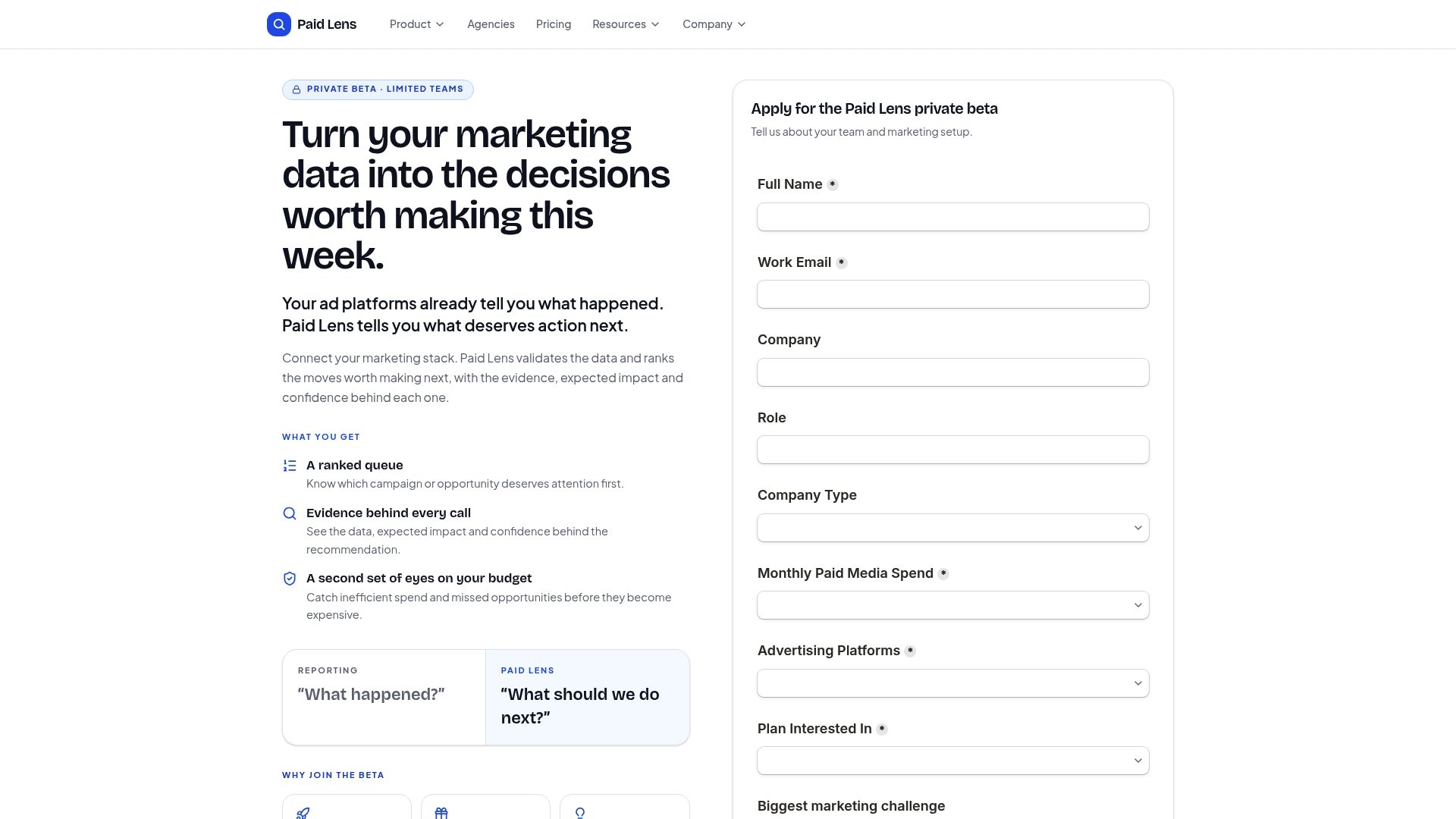
Instead of manually cross-referencing network logs against ad platform reports every time a number looks off, you get auditable attribution that shows exactly where a conversion discrepancy originated, whether that’s a consent mapping issue or a genuine campaign performance shift. The platform pulls from your existing ad and CRM connections, keeps an audit trail so you can trace a data anomaly back to its source, and surfaces alerts before a modeling gap turns into a misallocated budget decision. If you’ve just finished a Consent Mode v2 rollout and want to confirm your reporting still reflects reality, start a Paid Lens trial and connect your accounts to see where the gaps actually are.
Sources
Google’s own documentation covers the mechanics most precisely, while independent technical writeups fill in the debugging detail Google’s docs tend to skip.
- Set up consent mode on websites | Tag Platform
- About consent mode - Google Ads Help
- Consent Mode V2 For Google Tags | Simo Ahava
- Implementing Google Consent Mode - Cookiebot Support
FAQ
Is Consent Mode v2 Mandatory?
Consent Mode v2 itself isn’t a law, but it’s Google’s required mechanism for advertisers who want to keep using Google Ads and Analytics features in regions with consent requirements, including the EEA and UK. If you serve ads or measure conversions in those regions and use Google’s ad platforms, implementing the v2 signals is effectively required to retain features like remarketing audiences and Customer Match.
How Do I Enable Consent Mode v2?
Add the four consent signals, ad_storage, analytics_storage, ad_user_data, and ad_personalization, to your gtag.js or Google Tag Manager setup, set default values in the page head before any tag fires, and wire your CMP to send an update command when the user makes a choice.
What Is the Difference Between Consent Mode V1 and V2?
Consent Mode v1 only included ad_storage and analytics_storage. Version 2 adds ad_user_data and ad_personalization, giving advertisers separate control over whether user data can be sent to Google at all versus whether it can be used for personalized advertising.
How Do You Test Consent Mode v2?
Load the page in a clean browser profile, inspect outgoing network requests for the gcs and gcd parameters, confirm no ad or analytics cookies are written while consent is denied, then test both the accept and reject paths to verify the update command changes those parameters correctly. Tools like Google’s Tag Assistant and browser DevTools make this verification faster than manually parsing every request.
What Happens When Storage Consent Is Denied?
Instead of full measurement events, Google receives a cookieless ping that feeds a modeling system estimating aggregate conversions, though modeled data only appears once minimum event and user thresholds are met and doesn’t extend to audience building or raw data exports.