Enhanced Conversions: Setup, Data, and Bidding Impact
Discover how enhanced conversions improve tracking by linking customer data to their Google accounts, boosting your ad performance today!

Enhanced Conversions: Setup, Data, and Bidding Impact
Enhanced conversions match your customers’ hashed first-party data, like email or phone number, to their signed-in Google account, closing the measurement gap left by cookie loss and ad blockers. The one-line recommendation: turn it on account-wide and feed it your richest identifiers, email plus phone or address, wherever your conversion pages collect them. Start in Google Ads Help, deploy through the Google tag or Google Tag Manager, and confirm it’s working with the Conversion diagnostics report before you trust the bidding data it produces.
Key Takeaways
Enhanced conversions works by matching hashed first-party data to signed-in Google accounts, and its bidding impact depends entirely on how rich and complete that data is.
| Point | Details |
|---|---|
| Match quality drives everything | Email plus phone and address matches better than email alone; prioritize collecting all three. |
| Code snippets beat automatic detection | Reserve automatic detection for low-risk forms and use snippets or selectors for revenue events. |
| Expect an 8% ROAS lift on Search | Google reports this average for advertisers bidding to conversion value. |
| Validate before trusting the data | Use the Conversion diagnostics report and Enhanced conversions assist tool, then wait 30 days. |
| Validate data quality automatically | Getpaidlens connects ad platforms and CRM data to flag match-rate issues and rank fixes by impact. |
Table of Contents
- How Enhanced Conversions Actually Work
- Why Enhanced Conversions Improve Bidding and Reporting
- What Data Enhanced Conversions Accepts and How It’s Protected
- Choosing How to Enable Enhanced Conversions
- Automatic Detection, Selectors, or a Code Snippet?
- Field Names and Formatting That Prevent Match Failures
- Validating That Enhanced Conversions Are Working
- Consent, Data Terms, and What Turning It Off Actually Does
- Deciding When to Turn It On
- A Launch Checklist for Enhanced Conversions
- Measuring Whether the Data Quality Actually Improved
- Turning Match-Rate Data Into Your Next Campaign Move
- Sources
- FAQ
How Enhanced Conversions Actually Work
The flow is simpler than the privacy engineering behind it suggests.
- Your site captures first-party data (email, phone, name, address) at the moment of conversion.
- The Google tag or your server normalizes and hashes that data with SHA256, a one-way algorithm that turns “jane@email.com” into an irreversible string of characters.
- Google compares that hashed value against hashed data tied to signed-in Google accounts.
- A match ties the conversion back to the original ad click, even if third-party cookies never fired.
Enhanced conversions use SHA256 one-way hashing to secure customer data before it ever leaves your systems, so Google never sees a raw email address or phone number during matching.
Starting April 2026, Google unified web and lead-form enhanced conversions into a single account-level toggle, and it now accepts data from tags, Data Manager, or the API interchangeably.
Why Enhanced Conversions Improve Bidding and Reporting
The business case comes down to three things: recovered conversions, sharper bidding signals, and better attribution data feeding Smart Bidding.
- Matching hashed identifiers to signed-in accounts recovers conversions that would otherwise vanish from your reports entirely.
- Automated bidding models get cleaner training data, which tightens targeting toward users who actually convert.
- Reporting accuracy improves, so budget decisions stop relying on modeled guesses.
Google reports an average incremental ROAS lift of 8% on Search campaigns for advertisers bidding to conversion value who implement enhanced conversions.
Pro Tip: Feed the algorithm your best signals first. Prioritize verified purchases and confirmed sign-ups over top-of-funnel events like newsletter opt-ins, since deep conversion types carry far more weight for match quality and bid optimization.

What Data Enhanced Conversions Accepts and How It’s Protected
Match quality depends on which fields you send and how completely you fill them out.
- Email is the preferred identifier and generally produces the strongest match rates.
- Phone numbers must be formatted in E.164 (country code plus number, no spaces or dashes).
- Name and postal address work as a combination: first name, last name, postal code, and country are required fields.
You can send raw values and let Google normalize and hash them, or pre-hash on your own servers using hex SHA256 before transmission. Either path works, but pre-hashing gives security teams more control over when raw customer data leaves your infrastructure.
The Google tag will not collect user-provided data for a destination until the advertiser accepts the customer data terms in Google Ads, and it checks for that acceptance in real time.
Choosing How to Enable Enhanced Conversions
Three implementation paths exist, and picking the right one depends on your engineering resources and sales cycle.
- Google tag: fastest to deploy, works well for straightforward ecommerce checkouts with clean HTML forms.
- Google Tag Manager: gives marketers more control over triggers and variables without touching source code, better for sites with multiple conversion points.
- Data Manager or Google Ads API: supports delayed ingestion, which matters when B2B or long sales cycles mean the “real” conversion happens in a CRM days after the web form submission.
If you’re migrating to the unified account-level setting, remove any legacy per-action enhanced conversions configurations first. Leaving both active creates conflicting instructions that Google Ads has to arbitrate, and that arbitration doesn’t always favor the setup you intended.
Automatic Detection, Selectors, or a Code Snippet?
Each implementation pattern trades convenience against reliability, and the right pick depends on how often your front end changes.
- Automatic detection scans your conversion page for likely email and phone fields without any manual mapping. It’s fast to turn on and works fine for stable checkout flows that don’t change often.
- CSS selectors or JavaScript variables let you point directly at the fields holding customer data, which holds up better when a redesign moves elements around the page.
- A code snippet hands Google exact values you specify, and data sent this way is prioritized over anything automatic detection finds on the same page.
If your marketing site ships new landing pages weekly, lean on selectors or a snippet for anything tied to revenue. Save automatic detection for lower-stakes forms where an occasional missed match won’t distort your bidding data.
Field Names and Formatting That Prevent Match Failures
Getting the syntax right the first time saves a week of back-and-forth between marketing and engineering.
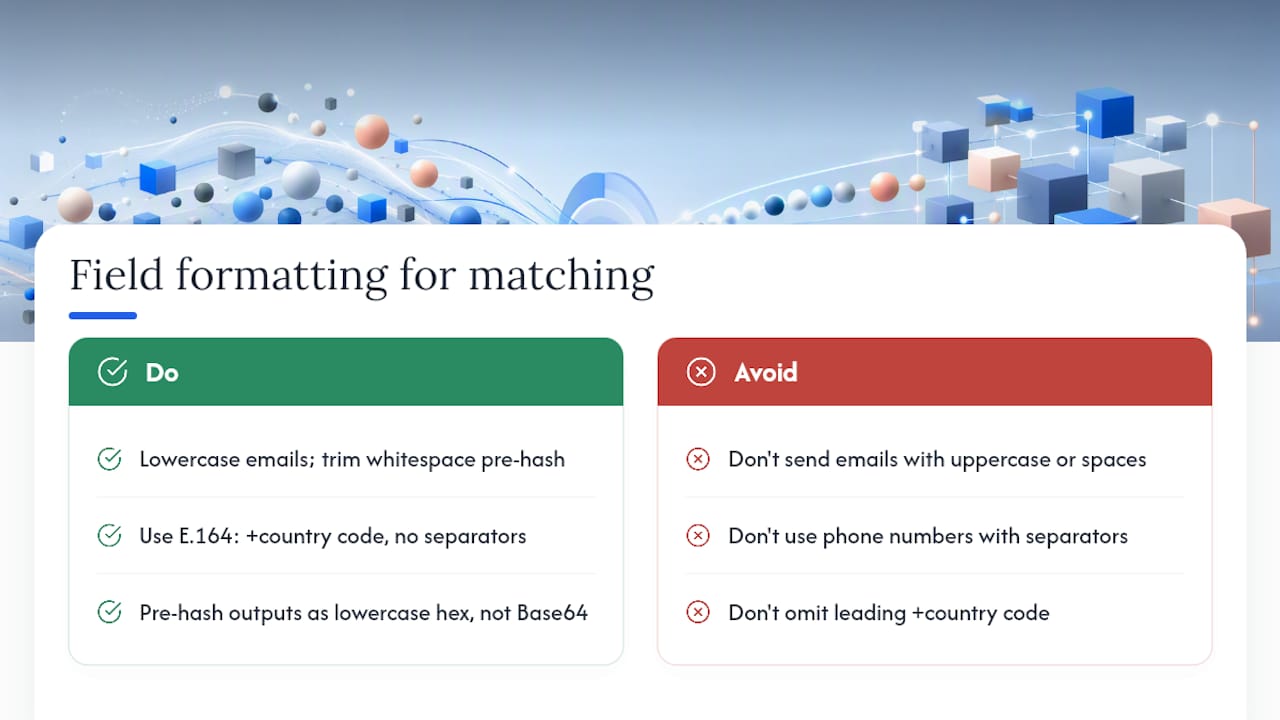
Normalize email addresses to lowercase and trim whitespace before hashing. Phone numbers need the E.164 format, meaning a leading plus sign and country code with no separators. If you’re pre-hashing, confirm your output is lowercase hex, not Base64, since a mismatched encoding will silently fail to match.
Validating That Enhanced Conversions Are Working
Turning the setting on isn’t the finish line. Confirming it’s actually matching data is a separate, necessary step.
- Enable the account-level setting and confirm your tagging method is live on conversion pages.
- Open the Conversion diagnostics report in Google Ads to check overall coverage and flag missing signals.
- Run the Enhanced conversions assist tool, which points to specific implementation errors on individual pages.
- Give it 24 to 30 days of live traffic before judging match rate or bidding impact, since Smart Bidding needs a data cycle to adjust.
Common failure points include missing required fields, a front-end release that quietly broke an automatic-detection selector, mismatched tag and API configurations firing simultaneously, and consent settings blocking collection before a user accepts cookies. The diagnostics report typically flags which of these is happening rather than leaving you guessing.
Consent, Data Terms, and What Turning It Off Actually Does
Before you flip the switch, three compliance items need to be settled, not assumed.
- Accept the Google Ads Data Processing Terms in your account settings, since the tag won’t collect data until you do.
- Confirm you have a lawful basis for processing the customer data you’re sending, particularly under regional privacy rules that apply to your traffic.
- Configure Consent Mode so
ad_storageand related consent signals are respected by the same Google tag handling enhanced conversions.
If a user hasn’t granted consent, the tag won’t collect their data regardless of your enhanced conversions setting. Turning enhanced conversions off later stops future data collection for bidding and reporting, but it doesn’t erase conversions already recorded.
Deciding When to Turn It On
The setting is nearly always worth enabling, but the payoff scales with a few specific factors.
- How much first-party data your conversion pages actually capture (a bare “thank you” page with no form gives you nothing to hash).
- Whether your primary conversion types are high-signal (purchases, qualified leads) or thin, top-of-funnel events.
- Whether your account already relies on Smart Bidding, since that’s where richer signals pay off fastest.
Expect diagnostics to populate almost immediately, but wait roughly 30 days before judging real bidding impact, since match rate needs volume to stabilize. Track match rate, conversion lift against your modeled baseline, and any shift in CPA or ROAS during that window.
A Launch Checklist for Enhanced Conversions
- Opt in to the unified enhanced conversions setting at the account level.
- Choose your implementation method: Google tag, Google Tag Manager, or API/Data Manager for delayed ingestion.
- Map your fields, prioritizing email, then phone and postal address, on every meaningful conversion page.
- Validate with the Conversion diagnostics report and Enhanced conversions assist tool before trusting the numbers.
- Monitor match rate weekly for the first month and watch CPA and ROAS for movement.
After launch, run a lightweight audit: spot-check a handful of live conversions against what actually got hashed, and re-verify selectors after every front-end deploy.
Measuring Whether the Data Quality Actually Improved
Turning enhanced conversions on is the easy part. Knowing whether it changed anything requires watching the right numbers.
- Match rate tells you what fraction of conversions successfully tied to a signed-in Google account. A low rate almost always traces back to missing or malformed identifiers, not a Google-side problem.
- Conversion lift compares enhanced-conversion volume against your previously modeled baseline; a high match rate paired with flat lift can mean you’re matching low-value events instead of revenue-driving ones.
- CPA and ROAS movement over a full bidding cycle shows whether Smart Bidding is actually using the richer signal, not just receiving it.
For long B2B sales cycles, use the API or Data Manager to backfill CRM-confirmed conversions that close weeks after the original web session, since waiting for real-time matching alone will undercount your highest-value deals.
One implementation lead’s shortcuts
Use a code snippet for anything tied to revenue, and reserve automatic detection for low-risk forms only. Document every CSS selector in one shared file, because nobody remembers which div holds the phone field six months later. Re-check enhanced conversions after every front-end release. Automatic detection breaks quietly, and you won’t notice until match rate drops.
Turning Match-Rate Data Into Your Next Campaign Move
Enhanced conversions solves half the problem: it gets Google better signal. The other half is knowing what to actually change in your account once that signal arrives, and that’s where most teams stall out staring at a diagnostics report that flags a match-rate dip without telling them which campaign to fix first.
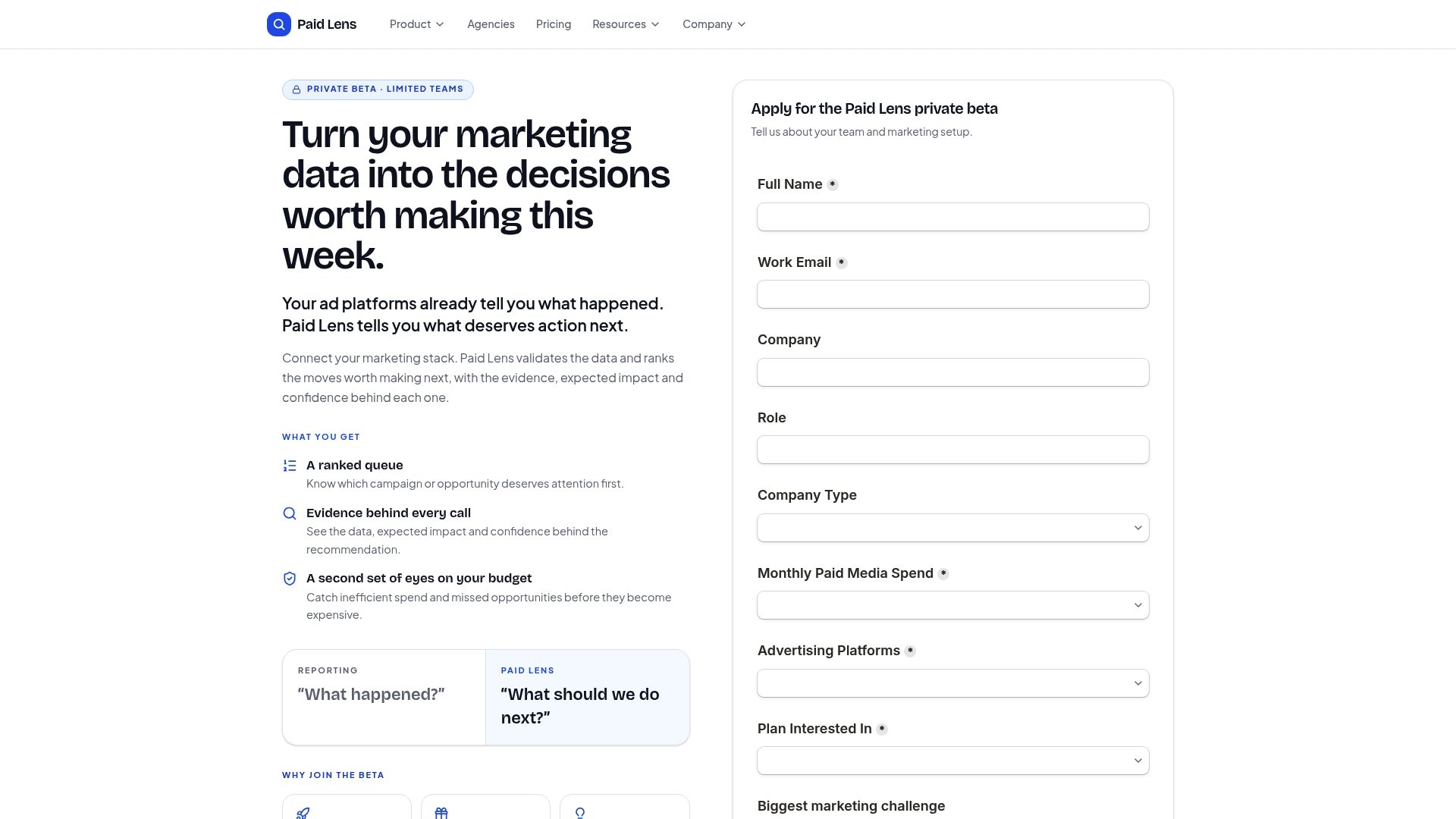
Getpaidlens connects your ad platforms, GA4, and CRM data in one place, then runs automated checks that catch the exact issues this article walks through: a missing field, a broken selector, a consent gap quietly suppressing collection. Instead of a raw diagnostics dump, you get a ranked queue of fixes with a confidence score attached, so you know whether a match-rate drop is worth a campaign pause or just noise. It’s built for teams running enough budget across enough platforms that manual auditing stops scaling. If you’re managing paid media across multiple accounts and want your enhanced conversions data validated automatically instead of manually, start with Paid Lens and connect your first ad account today.
Sources
- About enhanced conversions - Google Ads Help
- Enhanced conversions - Google Ads announcements
- Enhanced conversions web setup - Google Ads API docs
FAQ
Should I turn on enhanced conversions?
Yes, for nearly every advertiser with a form or checkout that captures customer data. The main exception is a site with no first-party data collection at all, where there’s nothing to hash and send.
How do I turn on enhanced conversions in Google Ads?
Opt in to the account-level setting in Google Ads, then implement through the Google tag, Google Tag Manager, or the API, following the official setup guide for your chosen method.
Why might an advertiser use enhanced conversions for leads?
Lead forms rarely fire a purchase event that ties back cleanly to an ad click, so hashing the submitted email or phone number recovers conversions that cookie-based tracking would otherwise miss entirely.
How do I check if enhanced conversions are working?
Open the Conversion diagnostics report in Google Ads to see coverage and errors, then use the Enhanced conversions assist tool to pinpoint specific page-level implementation issues.