Agencies: NinjaCat Alternatives That Deliver Ranked Recommendations
Compare NinjaCat alternatives for agencies, from enterprise connectors to decision intelligence like Getpaidlens. Migration checklist included.

Agencies: NinjaCat Alternatives That Deliver Ranked Recommendations
A notable option for agencies seeking audited, prioritized optimization recommendations instead of another dashboard to babysit. Improvado and TapClicks handle enterprise-scale connector needs, AgencyAnalytics and Whatagraph win on fast white-label client reports, and Supermetrics or Looker Studio suit teams building their own BI stack. Pace Ads and Optmyzr fit if pacing is your only real gap.
TL;DR:
- Tools like Getpaidlens excel for agencies needing prioritized, audit-ready recommendations, especially when managing large data volumes requiring quick action.
- Enterprise-focused platforms such as Improvado and TapClicks provide extensive connector libraries but demand significant engineering support for long-term maintenance.
- Agencies prioritizing visual polish or quick setup may prefer tools like Whatagraph, AgencyAnalytics, or DashThis, though they typically lack deep pacing controls or comprehensive data ownership.
- Migration efforts require a thorough audit of current reports and connectors, plus a staged validation process spanning several weeks to months, depending on agency size.
- For teams mainly seeking decision-making support rather than just visibility, decision intelligence tools like Getpaidlens turn analytics into actionable, confidence-backed recommendations.
Table of Contents
- Which NinjaCat Alternatives Actually Deliver in 2026?
- Comparing NinjaCat Similar Software on Pros, Cons, and Migration Effort
- How Do You Choose the Right NinjaCat Replacement?
- What Does a NinjaCat Migration Checklist Look Like?
- When Does Decision Intelligence Beat Just Another Dashboard?
- Why Getpaidlens Fits Agencies Tired of Dashboards Without Direction
- Sources
- FAQ
Which NinjaCat Alternatives Actually Deliver in 2026?
Agencies leaving NinjaCat usually fall into one of three camps: they need more reliable connectors, they need pacing that doesn’t require a spreadsheet marathon every Monday, or they need client reports that don’t take a full day to assemble. No single replacement nails all three equally well, which is why the shortlist below groups tools by what they’re actually built to solve rather than treating them as interchangeable.
Multiple review sites document a consistent set of NinjaCat replacement tools that keep surfacing in agency searches, and G2’s own competitor and alternative listing reflects the same pattern: a handful of names dominate the conversation because they solve distinct, non-overlapping problems. That matters more than it sounds. Picking a tool because it’s popular, rather than because it matches your actual bottleneck, is how agencies end up migrating twice in eighteen months.
Getpaidlens takes a different approach than most of this list. Rather than just visualizing your ad spend, it connects your platforms, validates the data for quality issues, and returns a ranked queue of recommendations with confidence scores attached to each one. If your team’s real problem isn’t “we can’t see the data” but “we have too much data and not enough time to act on it,” this is the category worth understanding before you shop for another dashboard tool.
Below is a side-by-side look at how the major NinjaCat alternatives stack up across the dimensions that actually decide whether a migration succeeds: connector depth, reporting flexibility, pacing controls, and how much engineering effort you’ll spend keeping it running.
| Tool | Connectors & Integrations | Reporting & Dashboards | Budget Pacing | Best For | Data Ownership |
|---|---|---|---|---|---|
| Getpaidlens | Multi-platform ad connections with validated data quality | Ranked recommendations, audit-ready attribution, client reporting | Prioritized budget-allocation suggestions | Agencies and performance teams wanting auditable optimization, not just charts | Full attribution audit trail |
| Improvado | Deep enterprise connector library, custom ETL | Enterprise data modeling, less agency-template focus | Not a core feature | Large enterprises needing a centralized marketing data lake | Warehouse-first architecture |
| TapClicks | Large connector catalog with workflow automation | Batch client reporting, order management | Basic budget tracking within workflows | Agencies scaling client portals and reporting at volume | Platform-managed with export options |
| AgencyAnalytics | Broad prebuilt connector set | White-label portals, prebuilt widgets | Limited pacing visuals | Small to midsize agencies wanting fast, polished reports | Platform-hosted |
| Whatagraph | Solid connector range for common ad platforms | Visual report templates, automated delivery | Not a core feature | Agencies prioritizing visual polish over deep customization | Platform-hosted |
| Funnel | Connector-first with mapping and transformation tools | Feeds into external BI rather than native dashboards | Not built-in | Teams wanting managed ETL into their own warehouse | Data flows to your warehouse |
| Supermetrics | Wide connector range into spreadsheets, BigQuery, BI tools | Relies on destination tool for visualization | Not built-in | Organizations already committed to a BI stack or spreadsheets | Exports to your chosen destination |
| DashThis | Moderate connector set, template-based | Quick, simple dashboards | Not a core feature | Smaller teams needing fast setup over deep customization | Platform-hosted |
| Databox | Solid connector range for KPI tracking | Executive dashboards, mobile alerts | Not a core feature | Teams wanting mobile-friendly KPI monitoring | Platform-hosted |
| Looker Studio | Extensive third-party connector ecosystem | Maximum visualization flexibility, free tier | Not built-in | Teams wanting low-cost, highly customizable visuals | Data stays in connected sources |
| Adverity | Enterprise-grade connector governance | Governed data flows, automated quality checks | Not a core feature | Analytics teams needing strict data governance | Governed pipeline architecture |
| Porter Metrics | Agency-friendly connector set | Agency templates, fast client delivery | Not a core feature | Agencies wanting polished reports without a steep learning curve | Platform-hosted |
| Maven | Reconciled data connectors | Reconciled reporting with AI analyst workflow | Not a core feature | Agencies wanting reconciled data paired with analyst support | Platform-managed |
Several tools worth naming didn’t make the detailed table because their connector or pacing data isn’t reliably documented in public comparisons, but they still show up often enough in agency searches to deserve a mention: Tableau (general-purpose BI, powerful but not marketing-native), Geckoboard (simple ops dashboards, thin on ad-platform depth), Grow.com (business intelligence with marketing use cases layered in), Windsor (a newer connector and reporting entrant), Pace Ads (built specifically around budget pacing), Optmyzr (PPC optimization and pacing for search and shopping campaigns), and EDEE / OptiPacer (pacing automation for programmatic and paid social).
A few patterns stand out once you sort the list this way:
- Pacing-first tools like Pace Ads and Optmyzr rarely try to replace your full reporting stack. Teams that only have a pacing gap often keep their existing dashboards and just add one of these on top.
- Connector-only platforms (Supermetrics, Funnel) hand you clean data but not a finished dashboard, which means you’re committing to building and maintaining your own BI layer.
- Agency-branded reporting tools (AgencyAnalytics, Whatagraph, Porter Metrics, DashThis) compete almost entirely on speed to a polished client report, not on analytical depth.
- Enterprise data platforms (Improvado, Adverity, TapClicks) assume you have or will hire engineering support to maintain the pipeline long term.
That last point deserves attention because it’s where a lot of NinjaCat replacement projects quietly go over budget. A connector breaking after a platform API update isn’t rare. TapClicks and Improvado both document extensive connector catalogs, and the TapClicks comparison against NinjaCat leans specifically on breadth of connectors and workflow automation as its selling point for agencies scaling past a handful of clients. That breadth is real, but breadth also means more surface area for something to break.
Comparing NinjaCat Similar Software on Pros, Cons, and Migration Effort
Here’s where the tradeoffs get concrete. Each of these tools solves a real problem, but every one of them asks you to give up something in exchange.
-
Getpaidlens — Best for teams drowning in dashboard data but starving for a clear next action. The standout is its ranked recommendation queue with confidence scores, so your team spends time acting instead of interpreting charts. Migration caveat: because it’s a decision layer built on top of your validated data, plan a short onboarding window to connect platforms and confirm attribution windows match your historical reporting before you retire old reports.
-
Improvado — Best for enterprises that need a centralized data lake across dozens of sources. Its ETL and data modeling are genuinely robust for scale. Migration caveat: expect a longer implementation than most agency tools on this list, since custom data modeling means more upfront configuration work with your team or theirs.
-
TapClicks — Best for agencies running high client volume who need workflow automation baked into reporting. Standout is the sheer size of its connector catalog paired with order and workflow management. Migration caveat: the automation layer has a learning curve, and smaller teams sometimes find it more platform than they need.
-
AgencyAnalytics — Best for small-to-mid agencies wanting client reports live fast with minimal technical lift. Standout is the prebuilt widget library and white-label portals. Migration caveat: it leans lighter on deep pacing controls, so pacing-heavy accounts may need a companion tool.
-
Whatagraph — Best for teams that prioritize visual polish in client-facing reports. Standout is how quickly you can assemble a good-looking automated report. Migration caveat: customization depth is more limited than enterprise platforms, so highly specific reporting requests may hit a wall.
-
Funnel — Best for teams that already have (or want) a warehouse-and-BI setup and just need clean data flowing into it. Migration caveat: you’re signing up to build your own visualization layer on top, which means additional tooling and internal ownership.
-
Supermetrics — Best for organizations extracting data into spreadsheets or BigQuery for downstream analysis. Migration caveat: it’s a connector, not a reporting platform, so budget for a BI tool or dashboard layer separately.
-
DashThis — Best for smaller teams that want dashboards live in days, not weeks. Migration caveat: template-based simplicity trades off against customization for complex, multi-channel accounts.
-
Databox — Best for teams wanting mobile-accessible KPI tracking and alerting. Migration caveat: it’s built around KPI monitoring more than deep client-facing report design, so agencies with heavy white-label needs may find it thin.
-
Looker Studio — Best for teams that want maximum visualization control at close to zero software cost. Migration caveat: it’s a blank canvas. Every dashboard, connector auth, and refresh schedule is something your team builds and maintains manually.
-
Adverity — Best for analytics teams that need governed, quality-checked data pipelines at scale. Migration caveat: the governance features assume a more mature data organization; smaller agencies may find the setup heavier than needed.
-
Porter Metrics — Best for agencies wanting a fast path to good-looking reports without a steep learning curve. Migration caveat: like other agency-templated tools, deep custom analysis isn’t the strength here.
-
Maven — Best for agencies wanting reconciled data paired with an embedded AI analyst for faster interpretation. Migration caveat: reconciliation workflows take some setup time to calibrate against your historical numbers.
Group the pacing specialists separately because they’re rarely a full NinjaCat replacement on their own. Pace Ads is built to solve budget pacing specifically. Optmyzr and EDEE / OptiPacer occupy similar territory for search, shopping, and programmatic pacing. Agencies whose only real NinjaCat complaint is pacing accuracy often keep their existing reporting stack and simply bolt one of these on rather than replacing everything.
How Do You Choose the Right NinjaCat Replacement?
Start with what’s actually broken, not what looks impressive in a demo. Run through this checklist in order, because each item builds on the one before it:
- Connector coverage first. List every ad platform, CRM, and revenue source you currently report on, then confirm each candidate connects natively, not through a workaround.
- Pacing fidelity second. If budget pacing was your NinjaCat pain point, ask specifically how the tool calculates daily pacing targets and whether it accounts for mid-month budget changes.
- White-labeling third. If clients see the reports directly, confirm the branding, domain, and portal experience match what you currently deliver.
- Data ownership fourth. Decide whether you need raw data exportable to your own warehouse or whether platform-hosted dashboards are enough.
- Refresh cadence and SLA fifth. Ask how often data refreshes and what happens when a connector breaks. Multiple verified NinjaCat reviews cite connector reliability and onboarding time as recurring frustrations, so this question is worth pressing hard in a demo.
- Onboarding effort sixth. Ask for a realistic timeline, not a marketing timeline, and get it in writing if possible.
- Security and compliance last but not skippable. Confirm data handling practices, especially if you manage client PII or financial data.
Ten questions worth asking every vendor during a trial: What’s the average time to first working dashboard? What happens when a connector API changes? Can we export raw data, not just visualizations? What’s your refresh frequency for each platform? How does pacing math handle mid-campaign budget changes? What’s included in onboarding versus billed separately? Can we see a live account with our scale of complexity? What’s your typical support response time? Do you offer a sandbox or trial with our real data? What’s the actual migration timeline for an agency our size?
Pro Tip: Ask for a reference agency of similar size and client count, not just a case study logo. A vendor confident in its onboarding process will connect you directly.
Watch for red flags during demos: vague answers about connector maintenance, reluctance to show a dashboard built on messy real-world data, or pricing that only becomes clear after a sales call. Total cost of ownership rarely stops at the subscription. Factor in the engineering time to maintain connectors, the analyst hours spent reconciling numbers across tools, and the onboarding weeks where your team is running two systems at once.
What Does a NinjaCat Migration Checklist Look Like?
Moving off any established reporting tool is a data project first and a software swap second. Skipping the audit step is the single most common reason migrations run over timeline.
- Audit your current reports and connectors. List every report type, data source, and client-facing metric currently live in NinjaCat.
- Export historical baselines. Pull at least 6 to 12 months of historical data before switching, so you have a reconciliation baseline.
- Map metrics and attribution windows. Connector data often uses different dimension names and attribution windows across platforms, so build a mapping document before go-live rather than discovering mismatches after clients notice.
- Run staged parallel validation. Keep both systems live for a defined window and compare key metrics line by line.
- Set a final switch-over date with rollback criteria. Define in advance what discrepancy threshold triggers a delay.
Timelines vary by scale. Small agencies with a handful of clients typically complete migration within a few weeks. Midsize agencies with multiple accounts often require a longer timeframe, while larger portfolios or enterprise setups may need several months, especially when custom connectors or CRM integrations are involved.
Run parallel reporting for at least two full billing cycles before fully retiring the old system. That gives you enough data points to catch a mismatched attribution window or a connector pulling the wrong currency, rather than finding out from a client’s finance team.
When Does Decision Intelligence Beat Just Another Dashboard?

Most of the tools on this list solve visibility. They tell you what happened. Far fewer tools tell you what to actually do next, and that gap is where a lot of analyst time quietly disappears every week.
A reporting platform is the right call when your main problem is assembling and delivering numbers to clients or leadership. But if your team already has the numbers and still spends hours deciding which campaign to pause, which budget to shift, or which underperforming account needs attention first, that’s a different problem entirely. Decision intelligence tools rank the highest-impact actions with evidence and confidence scores attached, which turns a weekly reporting ritual into a daily action list.
The practical scenarios where this matters most: agencies managing dozens of client accounts with limited analyst headcount, in house teams running multi-platform budgets where manual cross-referencing eats a full day weekly, and any team that’s tired of reports that look good but don’t say what to do about them. Reporting tells you the score. Decision intelligence tells you the next play.
— Shraddha
Why Getpaidlens Fits Agencies Tired of Dashboards Without Direction
If frustration with NinjaCat isn’t about the charts, this tool might be worth a look. It connects ad platforms, validates the data for quality issues before it reaches your team, and returns a ranked queue of recommendations with confidence scores attached to each one.
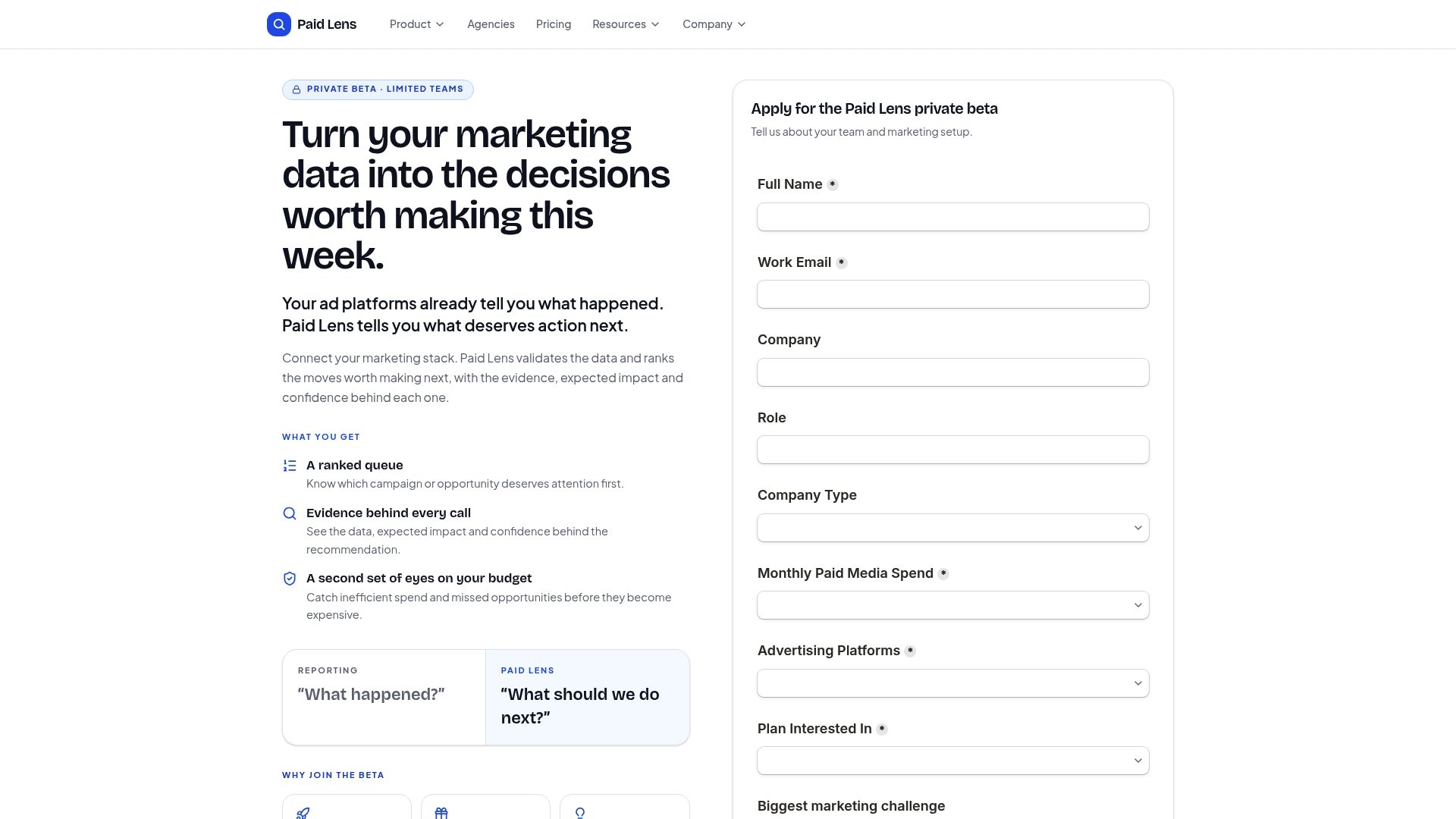
That’s the real difference from most tools on this list: instead of handing your analysts another dashboard to interpret, it hands them a prioritized, audit-ready attribution trail and tells them what to fix first. Agencies and performance teams managing multiple client budgets get the biggest payoff here, since the ranked recommendations replace hours of manual cross-platform comparison every week. Getpaidlens is currently in private beta, connecting to the ad platforms, GA4, and CRM sources your team already reports from through its data integrations. If prioritized, evidence-backed recommendations sound like what your reporting stack has been missing, request access to the private beta and see what it flags in your own accounts.
Sources
For a broader vendor set beyond this shortlist, G2’s competitor listing for NinjaCat tracks which tools users compare most often. TapClicks’ own comparison guide details connector breadth and workflow automation claims. SaaSHub’s alternatives page rounds out the market list with feature summaries. For tradeoffs between enterprise reporting and lighter agency tools, see NavThemes’ comparison of NinjaCat, AgencyAnalytics, and Looker Studio.
- G2 — NinjaCat competitors & alternatives
- TapClicks blog — NinjaCat Alternative: Top Competitors & Reporting Tools
FAQ
What Is the Best Overall NinjaCat Alternative?
There’s no single best-for-everyone answer, but Getpaidlens stands out for teams that want ranked, auditable optimization recommendations rather than another dashboard, while TapClicks and Improvado lead for enterprise-scale connector needs.
Is Looker Studio a Good Replacement for NinjaCat?
Looker Studio works well if you want maximum visualization flexibility at low cost, but it requires you to build and maintain every dashboard and connector yourself rather than getting agency-ready templates out of the box.
Do I Need a Separate Pacing Tool if I Switch Reporting Platforms?
If pacing accuracy was your main NinjaCat complaint, a dedicated tool like Pace Ads or Optmyzr often solves it faster than switching your entire reporting platform.
How Long Does a Typical Migration Off NinjaCat Take?
Small agencies usually complete migration in two to four weeks, midsize agencies in six to eight weeks, and larger portfolios can take three months or more depending on connector and CRM complexity.
Can Getpaidlens Replace My Client Reporting Tool?
Getpaidlens is built primarily for prioritized optimization recommendations and audit-ready attribution rather than replacing polished client-facing report design, so agencies with heavy white-label needs may pair it with a dedicated reporting tool.